Pulse · System Monitor
Your Mac slowed down.
Pulse knows why.
A health score, live vitals, and a spike log that records which app caused the slowdown — even while you were away. Native, sandboxed, and entirely on-device.
Download on the App StoremacOS 14.6 or later · Free, with a one-time $4.99 Pro upgrade
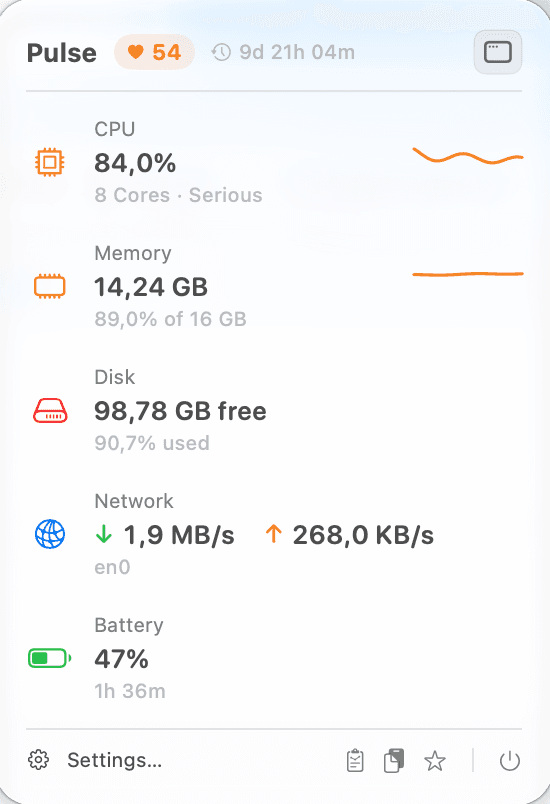
CPU84%MEM88%9:41
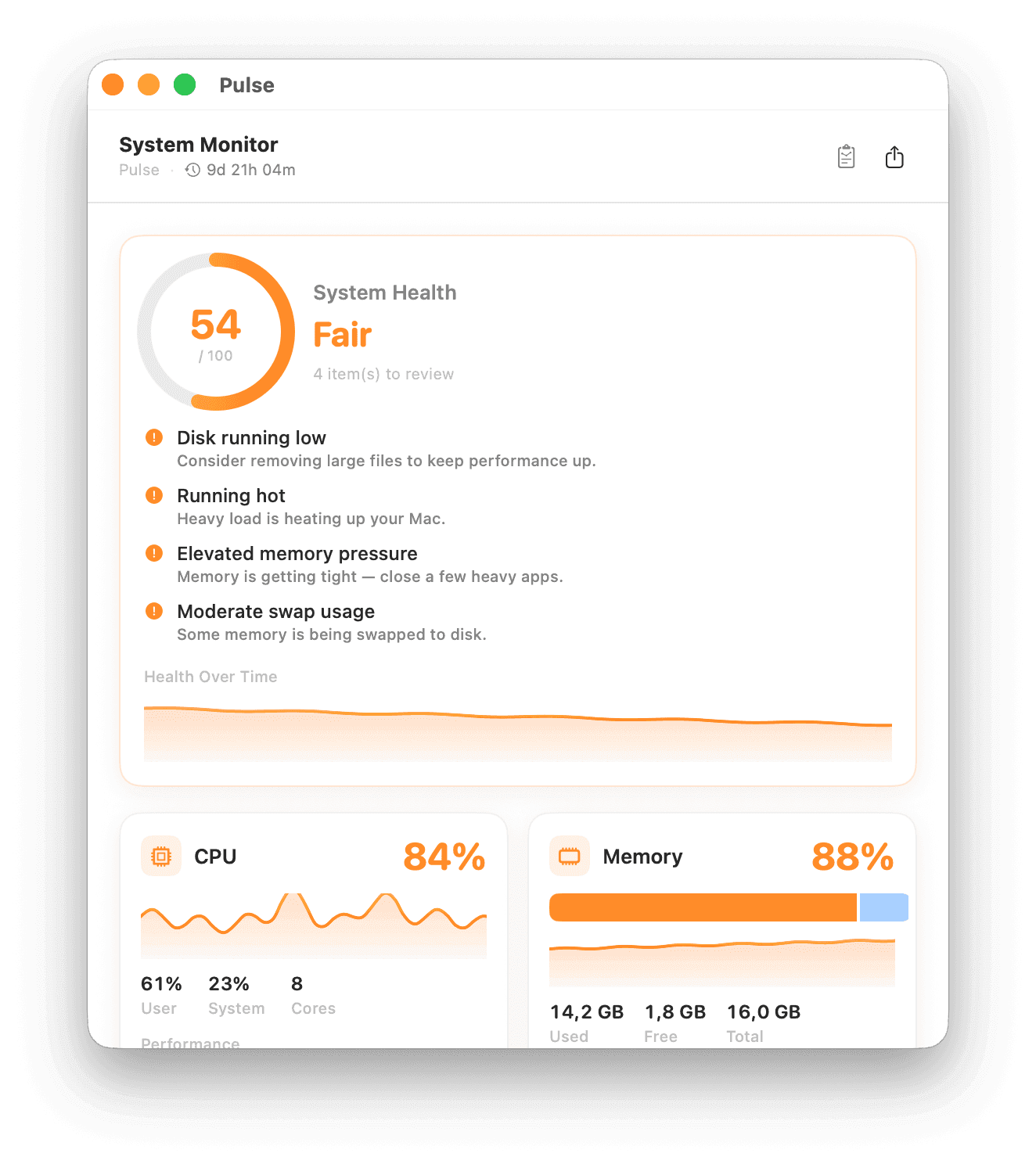
The dashboard
Not just numbers. Answers.
Activity Monitor tells you what is happening right now. Pulse tells you what happened, what caused it, and what is about to.
One score, and what is dragging it down
A 0–100 score scored continuously against disk, thermals, memory pressure, swap, CPU load and battery wear — with every contributing factor named, and a graph of how it has trended.
Menu bar
Twelve ways to see it. Three at a time.
Pick the metrics that matter to you. Free shows one; Pulse Pro shows up to three side by side, including live sparkline graphs.
FinderCPU34%MEM61%100%Mon 9:41
Three metrics selected — the Pro maximum. Pick another to swap the oldest out.
Why Pulse
Small app. Serious instrument.
A health score, not a wall of numbers
One 0–100 score, continuously scored against disk pressure, swap, thermals, CPU load and battery wear — with the specific factors dragging it down.
The black box for slowdowns
Pulse records every CPU and memory spike with its peak and the apps behind it — up to 30 events over 24 hours, captured whether or not you were watching.
A weekly report that spots patterns
Which apps caused most spikes, when they recur, whether your disk is trending toward full, and how battery capacity is drifting week over week.
Every vital, honestly reported
Per-core CPU with the performance/efficiency split, real kernel memory pressure, swap, per-volume disk, throughput, battery health and cycles, temperatures, fans, GPU VRAM.
Find where the disk went
Point Pulse at a folder and it ranks the biggest folders and files inside, flags anything untouched for months, and reveals or trashes them in a click.
Menu bar first
Twelve display modes including live sparkline graphs. Badges turn red the moment a metric crosses its threshold. No Dock icon, no window in your way.
It never makes numbers up
Where macOS sandboxing hides a reading — battery health on some Macs, SMC sensors on others — Pulse says “Unavailable” instead of inventing a comfortable default.
13 languages
English, German, French, Spanish, Italian, Dutch, Brazilian Portuguese, Russian, Ukrainian, Japanese, Korean, Simplified and Traditional Chinese.
Native, sandboxed, on-device
Built entirely on Apple frameworks with zero third-party dependencies. No analytics, no accounts, no network requests — nothing about your Mac leaves it.
Everything you need.
Nothing you don’t.
Free to download, and free stays useful. Unlock the full picture with a one-time $4.99 Pulse Pro purchase — never a subscription.
macOS 14.6 or later · Version 1.8.3
FAQ
Common questions about Pulse.
What does Pulse show in the menu bar?
Pulse shows live CPU, memory, and network activity at a glance from your menu bar, and answers the everyday question — why is my Mac slow right now? — without opening Activity Monitor.
Is Pulse free?
Pulse is free to download, and the free version stays useful. Pulse Pro is a one-time $4.99 purchase — never a subscription.
Does Pulse slow my Mac down?
No. Pulse is a small native app built to be light on resources — a monitor should never be the thing causing the load.
Which macOS versions does Pulse support?
Pulse requires macOS 14.6 or later and is available on the Mac App Store.